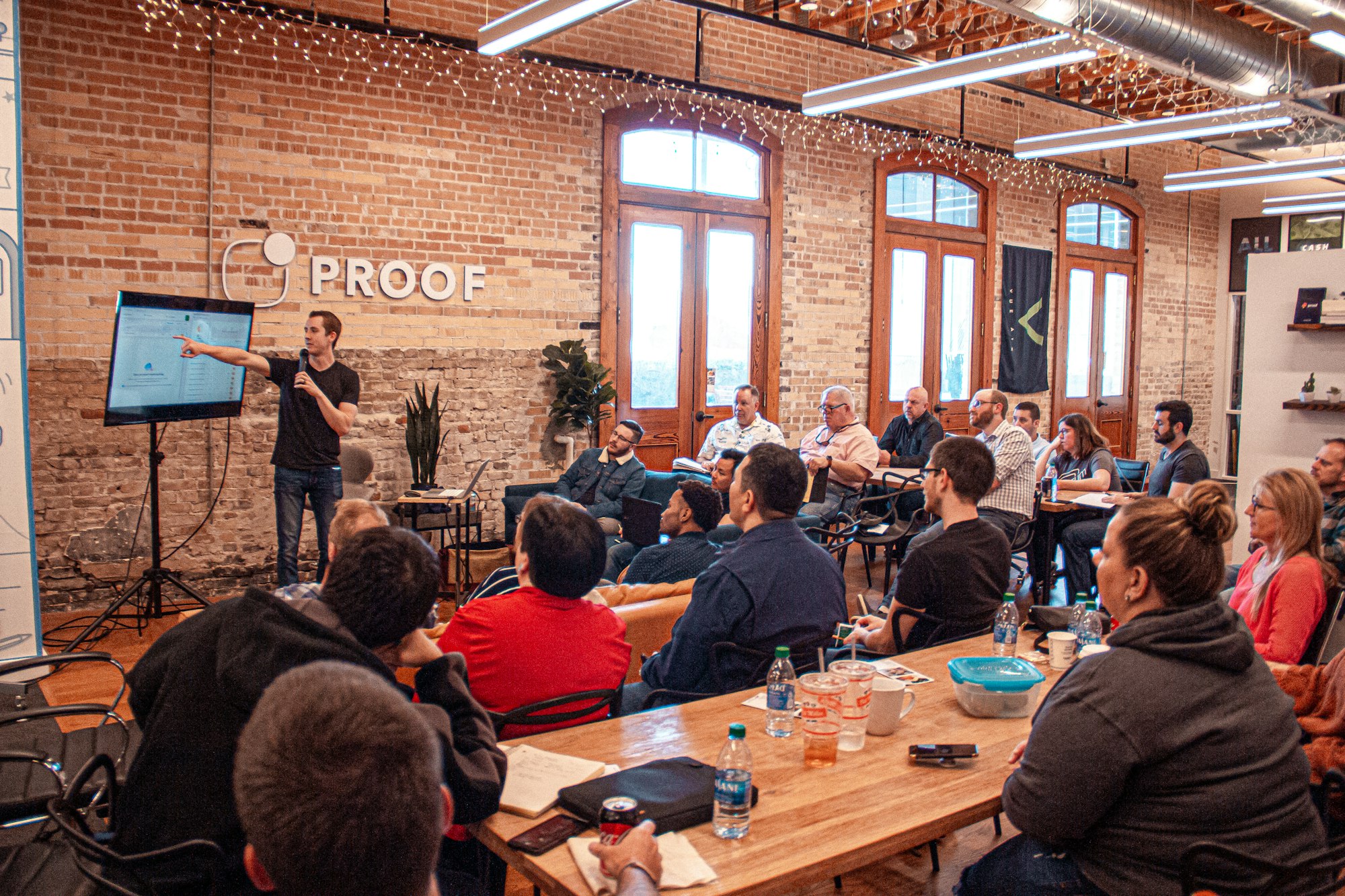
Choosing the right event planning software can transform how you organize, manage, and execute events. With dozens of platforms competing for your attention, finding the best fit requires understanding your specific needs and comparing features that matter. This comprehensive comparison reviews the top 10 event planning software tools for 2026, helping you make an informed decision.
Key Takeaways
- No single platform is best for everyone—match features to your event types
- Pricing models vary significantly—understand total cost of ownership
- Integration capabilities often determine long-term success
- AI-powered features are becoming standard in modern platforms
Table of Contents
- Quick Comparison Chart
- Detailed Platform Reviews
- Feature Comparison
- Pricing Guide
- How to Choose
- Implementation Tips
Quick Comparison Chart
| Platform | Best For | Starting Price | Free Trial |
|---|---|---|---|
| Cvent | Enterprise events | Custom pricing | Demo only |
| Eventbrite | Ticketed events | Free + fees | Yes |
| RingCentral Events | Virtual/hybrid | $83/month | 14 days |
| Whova | Conferences | Custom pricing | Demo only |
| Bizzabo | B2B events | Custom pricing | Demo only |
| Splash | Corporate events | Custom pricing | Demo only |
| Monday.com | Event planning teams | $8/seat/month | 14 days |
| Airtable | Custom workflows | Free tier available | Yes |
| EventCortex | AI-powered planning | Free tier available | Yes |
| Hubilo | Hybrid experiences | Custom pricing | Demo only |
Detailed Platform Reviews
1. Cvent
Best for: Large enterprises and complex event programs
Cvent is the industry heavyweight, offering comprehensive event management for organizations running multiple large-scale events. Its enterprise-grade features include venue sourcing, attendee management, and detailed analytics.
Key Features:
- Venue sourcing network with 300,000+ venues
- Complete registration and ticketing system
- Mobile event apps
- Advanced reporting and analytics
- Onsite check-in solutions
- Marketing automation integration
Pros:
- Most comprehensive feature set available
- Excellent for large corporate events
- Strong venue sourcing capabilities
- Robust integrations ecosystem
Cons:
- Expensive for smaller organizations
- Steep learning curve
- Complex setup process
- Overkill for simple events
Pricing: Custom enterprise pricing; expect $15,000+ annually for basic packages.
2. Eventbrite
Best for: Ticketed public events and community gatherings
Eventbrite remains the go-to platform for ticketed events, from small workshops to major concerts. Its marketplace provides built-in audience discovery, and its simple interface makes event creation quick.
Key Features:
- Easy event creation and ticketing
- Built-in event discovery marketplace
- Mobile scanning app for check-in
- Basic email marketing tools
- Payment processing included
- Social sharing optimization
Pros:
- Free for free events
- Huge platform reach and discovery
- Simple, intuitive interface
- Quick setup process
Cons:
- Limited customization options
- Transaction fees add up (3.7% + $1.79 per ticket)
- Basic attendee management
- Limited enterprise features
Pricing: Free for free events; 3.7% + $1.79 per paid ticket. Professional plans from $29/month.
3. RingCentral Events (formerly Hopin)
Best for: Virtual and hybrid events
RingCentral Events (formerly Hopin) is an all-in-one video-first event platform that makes planning, producing, and managing virtual and hybrid experiences seamless. After RingCentral’s acquisition, the platform has integrated enterprise-grade communication tools with Hopin’s event capabilities.
Key Features:
- Virtual event venues with multiple areas
- 1:1 networking matching
- Live streaming and video production
- Expo and sponsor booths
- Backstage production tools
- Hybrid event support
Pros:
- Excellent virtual experience
- Built-in networking features
- Good production quality
- Backed by RingCentral’s enterprise infrastructure
Cons:
- Complex for simple events
- Registration caps with additional charges over 100 registrants
- Some features require add-ons
- Learning curve for production tools
Pricing: Starting at $83/month for basic features; custom pricing for larger events.
4. Whova
Best for: Professional conferences and trade shows
Whova focuses on conference management with strong attendee engagement features. Its mobile app is particularly well-regarded for networking and session management.
Key Features:
- Award-winning mobile event app
- Attendee networking and messaging
- Session and agenda management
- Lead retrieval for exhibitors
- Live polling and Q&A
- Virtual and hybrid support
Pros:
- Excellent mobile app experience
- Strong networking features
- Good exhibitor tools
- Responsive customer support
Cons:
- Less intuitive backend interface
- Limited marketing automation
- Customization can be complex
- Pricing not transparent
Pricing: Custom pricing based on event size and features; typically $2,000-10,000 per event.
5. Bizzabo
Best for: B2B marketing events and conferences
Bizzabo positions itself as an “Event Experience OS” focused on data-driven B2B events. Strong integration with marketing stacks makes it popular with demand generation teams.
Key Features:
- Event website builder
- Registration and ticketing
- Marketing automation integrations
- Attendee data and analytics
- Mobile event app
- Virtual and hybrid capabilities
Pros:
- Strong marketing integrations
- Excellent data and analytics
- Modern, polished interface
- Good B2B event features
Cons:
- Premium pricing
- Best suited for larger organizations
- Limited for consumer events
- Implementation can take time
Pricing: Custom enterprise pricing; expect $20,000+ annually.
6. Splash
Best for: Corporate event programs and brand experiences
Splash emphasizes design and brand consistency across event programs. Its templates and customization options help maintain brand standards while enabling rapid event creation.
Key Features:
- Beautiful, customizable templates
- Guest list and registration management
- Check-in and access control
- Email marketing and reminders
- ROI measurement and analytics
- Brand consistency tools
Pros:
- Excellent design and branding
- Easy event replication
- Good program management
- Strong analytics
Cons:
- Less suited for large conferences
- Limited virtual features
- Premium pricing
- Primarily North American focus
Pricing: Custom pricing based on program needs; typically starts at $10,000/year.
7. Monday.com
Best for: Event planning team collaboration
Monday.com isn’t event-specific software, but its project management capabilities make it excellent for event planning teams needing flexible workflows and collaboration.
Key Features:
- Customizable workflows and templates
- Team collaboration and communication
- Timeline and calendar views
- Automation capabilities
- Integration with 200+ tools
- Dashboards and reporting
Pros:
- Highly flexible and customizable
- Excellent team collaboration
- Affordable pricing
- Strong integrations
Cons:
- No built-in registration or ticketing
- Requires setup and customization
- Not event-specific
- May need additional tools
Pricing: Starting at $8/seat/month; teams typically need Pro plan at $16/seat/month.
8. Airtable
Best for: Custom event workflows and small teams
Airtable combines spreadsheet flexibility with database power, making it ideal for teams wanting custom event management workflows without enterprise software costs.
Key Features:
- Flexible database structure
- Custom views (grid, calendar, kanban)
- Automation workflows
- Form builder for registrations
- Integration capabilities
- Collaboration features
Pros:
- Extremely flexible
- Affordable with free tier
- Easy to start, powerful to scale
- Great for unique workflows
Cons:
- Build-it-yourself approach
- No event-specific features
- Limited attendee management
- Requires workflow design
Pricing: Free tier available; Team plan at $20/seat/month.
9. EventCortex
Best for: AI-powered event planning and automation
EventCortex represents the new generation of event software, using AI to automate planning tasks, suggest optimizations, and streamline workflows.
Key Features:
- AI-powered planning assistance
- Smart task management
- Automated timeline creation
- Vendor coordination tools
- Budget tracking and optimization
- Collaborative planning workspace
Pros:
- AI reduces planning time
- Intuitive, modern interface
- Affordable for small teams
- Continuous feature improvements
Cons:
- Newer platform, still evolving
- Smaller user community
- Limited enterprise features currently
- Growing integration library
Pricing: Free (limited functionality), paid plans starts from $4.99/month.
10. Hubilo
Best for: Immersive hybrid experiences
Hubilo focuses on creating engaging virtual and hybrid experiences with gamification, networking, and production capabilities that keep attendees engaged.
Key Features:
- Immersive virtual venues
- Gamification and engagement tools
- AI-powered matchmaking
- Professional streaming studio
- Comprehensive analytics
- Hybrid event support
Pros:
- Strong engagement features
- Good production quality
- AI networking matching
- Analytics and insights
Cons:
- Complex for simple events
- Premium pricing
- Learning curve
- Best for larger events
Pricing: Custom pricing; typically starts at $10,000+ per event.
Feature Comparison
Registration & Ticketing
| Platform | Custom Forms | Payment Processing | Waitlists | Group Registration |
|---|---|---|---|---|
| Cvent | Excellent | Yes | Yes | Yes |
| Eventbrite | Good | Yes | Yes | Limited |
| RingCentral Events | Good | Yes | Yes | Yes |
| Whova | Good | Via integrations | Yes | Yes |
| Bizzabo | Excellent | Yes | Yes | Yes |
Virtual Event Capabilities
| Platform | Live Streaming | Networking | Breakout Rooms | Expo Booths |
|---|---|---|---|---|
| Cvent | Good | Basic | Yes | Yes |
| Eventbrite | Limited | No | No | No |
| RingCentral Events | Excellent | Excellent | Yes | Yes |
| Whova | Good | Good | Yes | Yes |
| Hubilo | Excellent | Excellent | Yes | Yes |
Integrations
| Platform | CRM Integration | Marketing Automation | Slack/Teams | API Access |
|---|---|---|---|---|
| Cvent | Excellent | Excellent | Yes | Yes |
| Eventbrite | Good | Good | Limited | Yes |
| RingCentral Events | Good | Good | Yes | Yes |
| Bizzabo | Excellent | Excellent | Yes | Yes |
| Monday.com | Good | Via Zapier | Yes | Yes |
Pricing Guide
Understanding Pricing Models
Event software typically uses one of these pricing approaches:
- Per-event pricing: Pay for each event you run
- Subscription pricing: Monthly or annual fee for platform access
- Per-attendee pricing: Costs scale with attendance
- Transaction fees: Percentage of ticket sales
- Hybrid models: Combination of above approaches
Total Cost Considerations
Beyond base pricing, factor in:
- Implementation costs: Setup, customization, training
- Transaction fees: Payment processing, ticketing fees
- Add-on features: Virtual events, mobile apps, integrations
- Support levels: Premium support often costs extra
- Scaling costs: How pricing changes as you grow
Budget Recommendations
| Organization Size | Annual Budget | Recommended Platforms |
|---|---|---|
| Small (1-5 events/year) | $500-2,000 | Eventbrite, Airtable, EventCortex |
| Medium (6-20 events/year) | $2,000-15,000 | Whova, Monday.com, EventCortex |
| Large (20+ events/year) | $15,000-50,000 | Cvent, Bizzabo, Splash |
| Enterprise | $50,000+ | Cvent, Bizzabo, custom solutions |
How to Choose
Step 1: Define Your Requirements
List your must-have features:
- Event types (virtual, in-person, hybrid)
- Expected attendee numbers
- Registration and ticketing needs
- Integration requirements
- Budget constraints
Step 2: Match to Event Types
| Event Type | Best Platforms |
|---|---|
| Conferences | Whova, Cvent, Bizzabo |
| Virtual events | RingCentral Events, Hubilo |
| Ticketed public events | Eventbrite |
| Corporate programs | Splash, Cvent |
| Small team events | EventCortex, Airtable |
| Trade shows | Cvent, Whova |
Step 3: Evaluate Trial Experiences
When testing platforms:
- Create a sample event end-to-end
- Test the registration experience as an attendee
- Evaluate the mobile app if available
- Check integration with your existing tools
- Assess reporting and analytics
Step 4: Consider Long-Term Factors
- Scalability: Will it grow with you?
- Support quality: How responsive is help?
- Product roadmap: Is the platform improving?
- Community: Are there resources and user groups?
- Exit strategy: How easy is data portability?
Implementation Tips
Planning Your Implementation
- Start with one event type: Don’t try to migrate everything at once
- Build your templates: Create reusable configurations
- Train your team: Invest in proper onboarding
- Integrate gradually: Add connections to other tools over time
- Measure and iterate: Track what’s working
Common Mistakes to Avoid
- Choosing based on features you won’t use
- Underestimating implementation time
- Skipping proper training
- Not involving end users in evaluation
- Ignoring integration requirements
FAQ
What’s the best free event planning software?
Eventbrite is free for free events. Airtable has a robust free tier. Monday.com offers limited free access. For paid events, transaction fees typically apply across all platforms.
Can I switch platforms after starting?
Yes, but data migration can be complex. Most platforms offer export capabilities. Plan transitions between event seasons when possible.
Do I need event-specific software?
For occasional small events, general project management tools may suffice. Regular events with registration, ticketing, or virtual components benefit from purpose-built platforms.
How important are integrations?
Very important for larger organizations. Ensure the platform connects with your CRM, marketing automation, and communication tools to avoid manual data transfer.
Should I choose based on current or future needs?
Balance both. Choose a platform that meets current needs but can scale. Avoid paying for enterprise features you won’t use for years.
Conclusion
The right event planning software depends on your specific needs, event types, team size, and budget. Enterprise organizations running complex event programs will benefit from comprehensive platforms like Cvent or Bizzabo. Teams focused on virtual experiences should prioritize RingCentral Events or Hubilo. Smaller teams and those seeking flexibility might find Airtable, Monday.com, or EventCortex more appropriate.
Take advantage of free trials and demos before committing. The best choice is the platform your team will actually use effectively—features mean nothing if the tool sits unused.
Related Articles: